

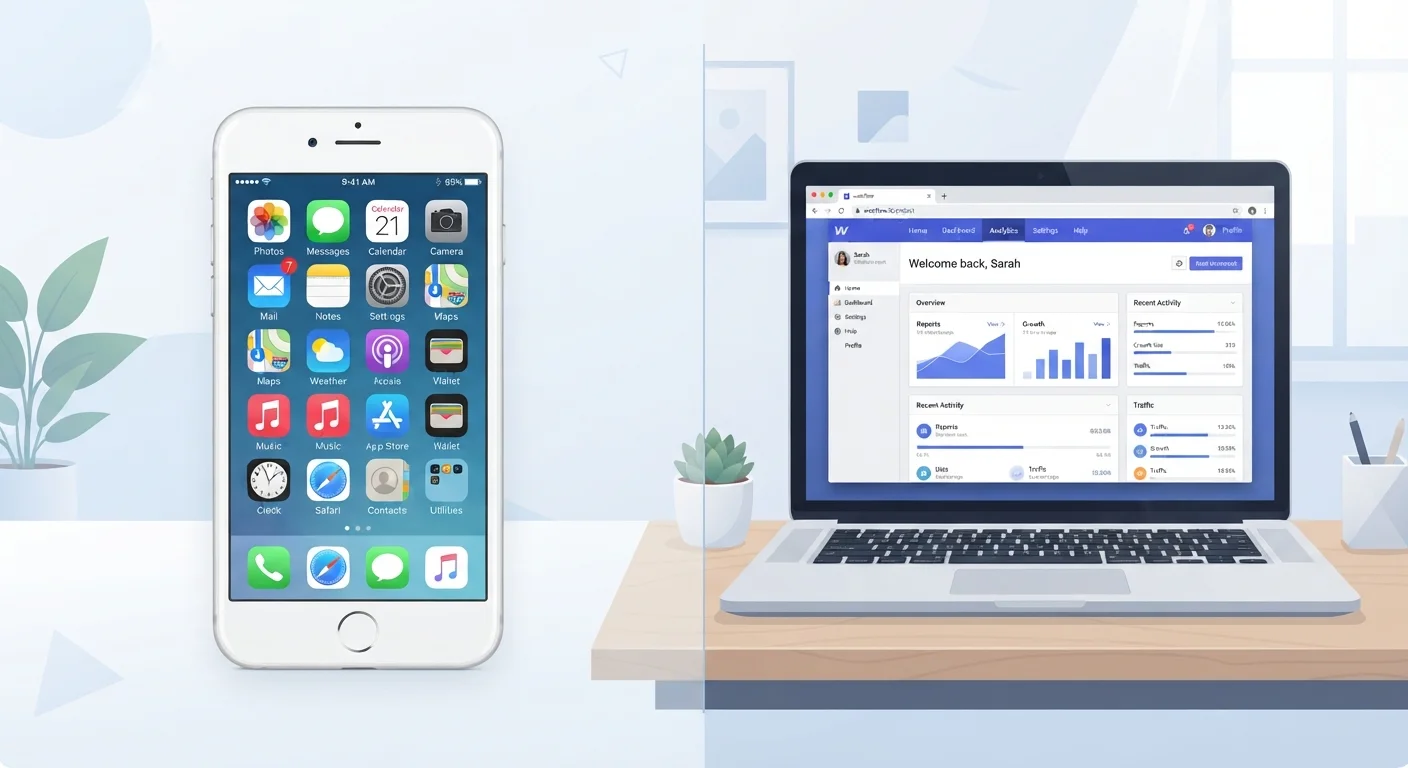
Option A
Native Apps
The installed, device-optimized experience.
Best for: Users who need top performance, offline access, or deep device integration like camera and GPS.
Option B
Web Apps
The browser-based, no-install alternative.
Best for: Users who want instant access across devices without storage commitments or app store downloads.
What Actually Makes an App 'Native' or 'Web'?
The simplest way to tell them apart: if you downloaded it from the App Store or Google Play and it lives on your home screen, it's a native app. If you access it by typing a URL into your browser — Chrome, Safari, Firefox — it's a web app.
Native apps are built specifically for a platform (iOS or Android) using code that talks directly to the operating system. That direct line lets them tap into your device's hardware — microphone, camera, GPS, accelerometer — and run efficiently even with limited connectivity. Web apps, by contrast, are essentially interactive websites. They run inside the browser, regardless of which device or operating system you're using, and they can only access hardware features the browser itself is permitted to reach.
A common middle ground is the Progressive Web App (PWA) — a web app engineered to behave more like a native app. PWAs can be added to your home screen, work offline in limited ways, and sometimes send push notifications. They blur the line, but still don't have the same hardware access as a fully native app.
| Criterion | Native Apps | Web Apps |
|---|---|---|
| Installation required | Yes — via app store | No — opens in browser |
| Device storage used | Yes, often significant | Minimal to none |
| Works offline | Often yes | Rarely, unless PWA |
| Hardware access | Full (camera, GPS, sensors) | Limited, browser-mediated |
| Push notifications | Yes | Limited support |
| Updates | Manual download required | Automatic, server-side |
| Cross-device compatibility | Platform-specific | Works on any device with browser |
| Permission requests | More extensive | Fewer, browser-controlled |
Performance, Storage, and Day-to-Day Use
For everyday users, the most noticeable differences come down to speed, storage, and how the app behaves when your connection drops.
Performance: Native apps run closer to your device's hardware, which generally means smoother animations, faster load times, and more responsive interfaces. Web apps depend heavily on browser overhead and network speed. For casual tasks like reading an article or checking a balance, the gap is small. For graphics-heavy apps, video editing, or real-time communication, native apps typically win.
Storage: Every native app you install takes up space — sometimes hundreds of megabytes — and background processes can drain battery. Web apps consume virtually no local storage (unless you cache data deliberately) and stop running the moment you close the tab. If your device is storage-constrained, using the web version of a service is a practical workaround.
Updates: Native apps require you to download updates, and skipping them can create security risks. Web apps update silently on the server side — you always get the latest version just by refreshing. For a closer look at why keeping native apps updated matters, see why skipping app updates is risky.
~50%
Smartphone storage used by apps on average
According to analyses of mobile storage usage, installed apps collectively account for roughly half of occupied storage on typical consumer smartphones.
2–3×
Faster typical load time for native vs. web apps
Performance benchmarks from mobile development research consistently show native apps loading core UI elements significantly faster than equivalent web apps on the same device.
Privacy and Permissions: A Meaningful Difference
One of the starkest practical differences between native and web apps is how much access they have to your device and personal data. When you install a native app, it may request permissions for your contacts, location, microphone, camera, photo library, and more. Some of those requests are necessary; others are not. Understanding what you're granting matters — our guide on what app permissions actually mean walks through each type in plain English.
Web apps are sandboxed inside the browser, which acts as a gatekeeper. The browser may ask for location or camera access too, but those requests are more visible and easier to revoke. The trade-off: web apps can't run silently in the background, so they can't send you a notification when you're not actively using them.
It's also worth noting that free native apps can carry data-monetization trade-offs that aren't always obvious. Our article on the privacy trade-offs of free apps explains what that exchange typically looks like. Before installing any new app, running through a pre-install checklist can help you spot red flags early.
Progressive Web Apps: A Useful Middle Ground
If a service offers a Progressive Web App (PWA), it may be worth trying before committing to the native version. PWAs can be pinned to your home screen, load quickly, and occasionally work offline — all without the storage overhead or extensive permission requests of a native install. Look for an 'Add to Home Screen' prompt in your browser when visiting a site to see if a PWA is available.
Making the Call: When to Choose Each
There's no single right answer, but a few practical questions help clarify the decision:
- How often will you use it? Daily use generally justifies a native app's storage footprint and permissions. Occasional use often doesn't.
- Do you need it to work offline? Native apps (and some PWAs) can cache data locally. Web apps typically can't function without a connection.
- Does the service require hardware access? Navigation, fitness tracking, and video calling benefit from native access to GPS, sensors, and the camera. A banking portal or news reader usually doesn't.
- Are you working across multiple devices? Web apps are platform-agnostic. A native app on your phone may look and behave differently from its desktop counterpart — or not exist at all on one platform.
If you're evaluating apps for productivity specifically, research on what productivity apps actually help offers useful context for cutting through the noise. And if you're navigating differences between Android and iOS in how they handle native apps, the key differences between Android and iOS app ecosystems covers platform-specific nuances worth knowing.
The content on this site is for informational purposes only and is not a substitute for professional advice. Always consult a qualified professional for guidance specific to your situation.