

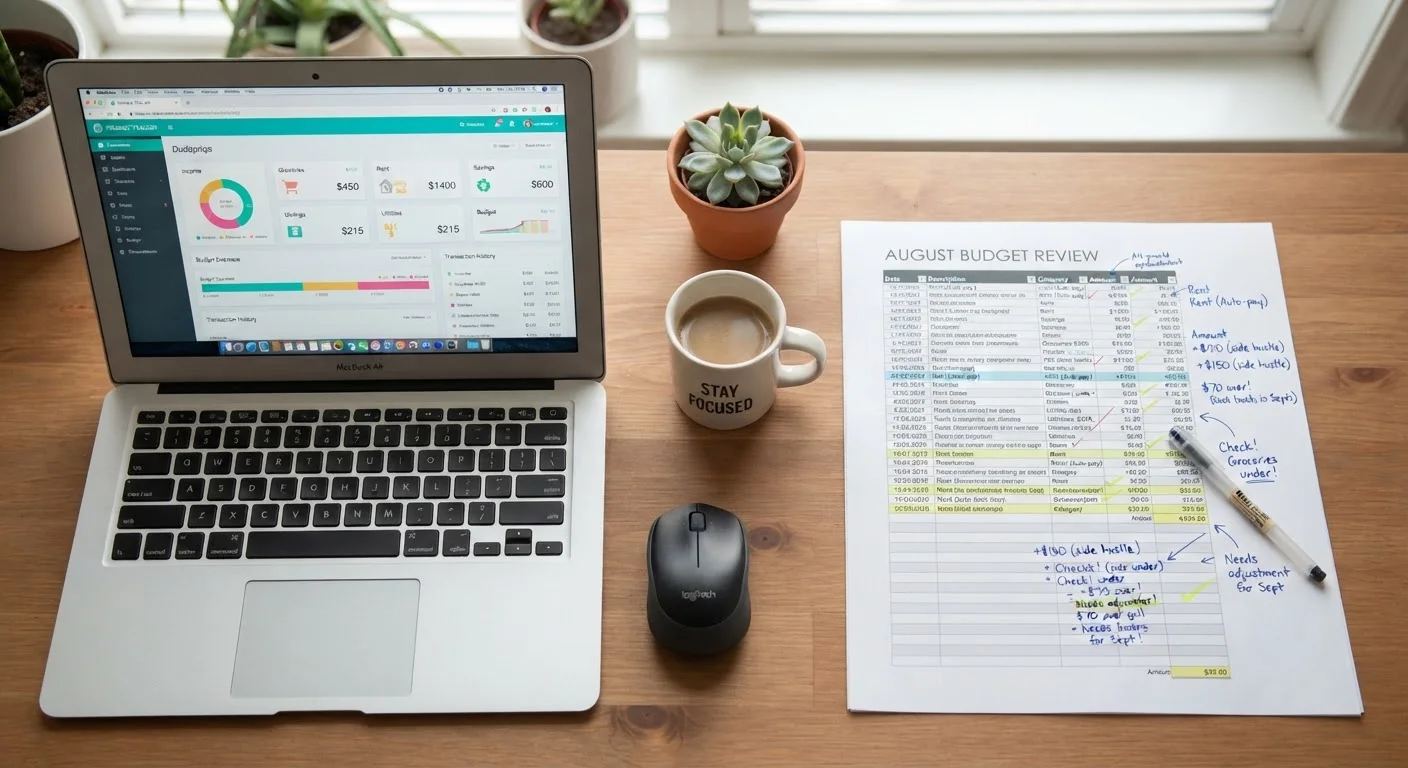
Our Verdict
Neither spreadsheets nor budgeting apps are universally superior - effectiveness depends on how consistently you use the tool you choose. Spreadsheets suit detail-oriented users who want full control and minimal cost; apps suit those who benefit from automation and low-friction daily tracking. The best budgeting tool is simply the one you'll actually use.
| Best for | Recommended |
|---|---|
| Those who want full customization and strong data privacy | Spreadsheet |
| Those who prefer automation and real-time account syncing | Budgeting App |
| Those on a tight budget who want a no-cost solution | Spreadsheet |
| Those new to budgeting who want guided structure and visual feedback | Budgeting App |
The Core Difference: Control vs. Convenience
When it comes to tracking personal finances, two approaches dominate: building your own spreadsheet or using a dedicated budgeting app. Both can be effective, but they serve different kinds of users. The fundamental tradeoff is between control and convenience.
A spreadsheet - whether in Google Sheets or Excel - is a blank canvas. You design every category, formula, and layout. That freedom is powerful, but it requires upfront effort and ongoing manual input. A budgeting app, by contrast, connects to your accounts, categorizes transactions automatically, and presents your data through a visual dashboard. The friction is low to start, but you're working within a structure someone else designed.
Understanding this distinction helps you choose the tool that matches your habits - not just the one that sounds appealing. For a broader look at budgeting frameworks that work alongside either tool, see the complete personal budgeting framework.
How They Compare Across Key Factors
Evaluating both tools across the dimensions that matter most to everyday budgeters reveals clear patterns. Neither option wins across the board, but the tradeoffs are predictable.
| Spreadsheet | Budgeting App | |
|---|---|---|
| Setup effort | Moderate - requires building or adapting a template | Low - guided onboarding, connect accounts |
| Ongoing effort | High - manual transaction entry required | Low - automatic syncing and categorization |
| Customization | Unlimited - full design control | Limited - works within app's structure |
| Cost | Free or near-free | Often free tier, or $5-$15/month subscription |
| Data privacy | High - data stays with you | Varies - third-party account access required |
| Visual dashboards | Only if you build them | Built-in charts and summaries |
| Learning curve | Moderate - formula and layout knowledge helpful | Low to moderate - app-dependent |
Privacy is an especially important consideration often overlooked at setup. Spreadsheets stored locally or in your own cloud account keep your financial data entirely under your control. Apps that sync bank accounts transmit sensitive data through third-party servers - a legitimate concern worth researching before connecting accounts.
Review App Privacy Policies Before Connecting Accounts
Budgeting apps that sync directly with bank accounts use third-party data aggregation services to read your transaction history. Before linking any financial account, review how the app stores, shares, and protects that data. Look specifically for whether the app sells anonymized data to third parties - a common practice disclosed in privacy policies but rarely highlighted during signup.
Who Should Use a Spreadsheet
Spreadsheets are a strong fit for people who want to design their budget around their specific financial life rather than adapt to a preset template. If you have irregular income, multiple income streams, or nuanced expense categories, a spreadsheet lets you reflect that complexity accurately.
They're also essentially free. Google Sheets costs nothing, and many reputable personal finance communities share well-built budget templates at no charge. That keeps the total cost of ownership near zero, which matters if you're working to reduce expenses.
The main commitment is time. You'll need to enter transactions manually - a process that takes discipline but also keeps you closely engaged with your spending. Some people find this intentional friction valuable. If you prefer tracking without any digital tools at all, manual spending tracking methods may also be worth exploring.
Start Simple, Then Customize
If you're new to spreadsheet budgeting, resist the urge to build a complex system from scratch. Start with a basic income-minus-expenses layout for one month before adding categories, charts, or formulas. Complexity added before habits are established often leads to abandonment. A working simple budget consistently used will always outperform an elaborate one used sporadically.
Who Should Use a Budgeting App
Budgeting apps reduce the day-to-day effort of tracking by automating transaction imports and categorization. For people with busy schedules or a history of abandoning budgets due to tedium, that automation can be the difference between a system that lasts and one that doesn't.
Apps also tend to offer mobile-first design, making it easy to check your spending in the moment - at the grocery store, before a purchase, or during a commute. Visual charts showing category breakdowns can make it easier to spot problem areas quickly without building any formulas yourself.
The cost consideration is real, however. Many capable budgeting apps operate on subscription models, and those fees add up annually. It's worth understanding what you're paying for before committing. Our related piece on freemium vs. subscription app pricing covers how to evaluate those tradeoffs. Also note that apps vary widely in quality - why budgeting apps often fail users outlines what separates effective tools from abandoned ones.
~60%
Adults without a working household budget
Surveys consistently show a majority of Americans do not actively track spending with any formal system, highlighting that the tool choice matters less than building the habit.
2-4 weeks
Typical time before budgeting app abandonment
Behavioral research on personal finance apps suggests most users disengage within the first month, often due to setup friction or lack of perceived value.
Making Your Choice - and Sticking with It
The most important factor isn't which tool is objectively better - it's which one you will consistently use. A sophisticated app you check once a month is less valuable than a simple spreadsheet you update every week.
Whichever format you choose, pair it with a regular review habit. A structured monthly budget review checklist can help you get the most from either approach by ensuring you're not just recording data but acting on it.
If you're uncertain which budgeting method to pair with your chosen tool, consider reading about zero-based vs. percentage-based budgeting - the method you use can influence which format supports it better.
This article is for general informational and educational purposes only and does not constitute personalized financial advice. Consult a qualified financial professional for guidance specific to your situation.
The content on this site is for informational purposes only and is not a substitute for professional advice. Always consult a qualified professional for guidance specific to your situation.