

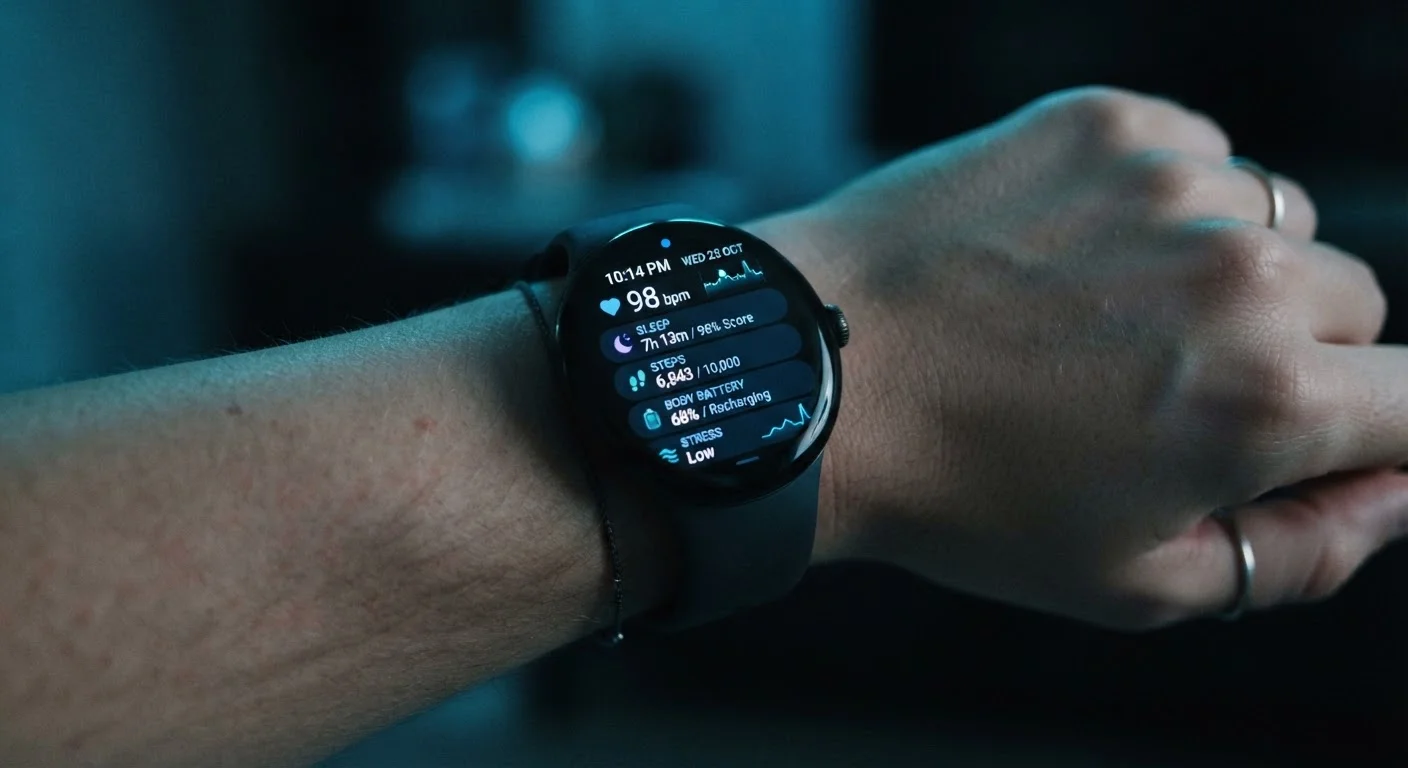
Beyond Step Counting: What Your Smartwatch Actually Knows
Most people think of their smartwatch as a glorified pedometer. In reality, today's wearables are sophisticated data-collection platforms worn against your skin around the clock. Depending on your device, it may be tracking your heart rate variability, blood oxygen saturation, skin temperature, sleep stages, menstrual cycles, and galvanic skin response — a measure often used to estimate emotional stress levels.
Beyond biometrics, your smartwatch logs behavioral data: when you wake up, how long you sit still, what apps you interact with, and which notifications you open. If your device has a microphone — used for voice commands or calls — that's another potential data point. Location data is gathered during workouts and, in many cases, passively through the companion app on your phone.
Understanding this full picture is the first step toward managing it. As our guide on personal data you're sharing without realizing it explains, passive data collection happens across many of your digital devices — wearables are simply one of the most intimate examples.
80+
Distinct data points some wearables track
Research published in health informatics journals has identified over 80 measurable data signals that advanced wearable devices can log, spanning biometrics, behavior, and environment.
~1 in 5
U.S. adults who wear a fitness tracker daily
Pew Research Center surveys have found roughly one in five American adults report wearing a smartwatch or fitness tracker on a daily basis.
Varies widely
Data retention period by manufacturer
Privacy policies from major wearable brands show data retention periods ranging from months to indefinitely, depending on the type of data and user settings.
Where Your Data Goes After It Leaves Your Wrist
Data collected on your smartwatch doesn't stay on the device. It's synced via Bluetooth to your paired smartphone, then uploaded to the manufacturer's cloud servers. From there, your data may be used for product improvement, shared with research partners, or — depending on the company's privacy policy — made available to advertising platforms or data brokers.
It's worth noting that health data gathered by consumer wearables is generally not covered by HIPAA (the federal law protecting medical records). That protection applies to healthcare providers and their partners — not to fitness tech companies. This means the safeguards in place depend almost entirely on what the manufacturer commits to in its privacy policy, which varies widely.
Free companion apps often carry additional data-sharing implications. The privacy trade-offs built into free apps are worth understanding before you sync your device, since many apps monetize user data as part of their business model. Similarly, health tracking apps and your medical data are handled differently than clinical records — and the gaps in protection may surprise you.
Health Data and Legal Protections: Know the Gap
Consumer wearable data sits in a legal gray area. Unlike medical records held by your doctor, data collected by smartwatch apps is not guaranteed HIPAA protection. Some states — including California — offer additional consumer data rights under laws like the CCPA, but protections vary by state. Always check whether your state has enacted data privacy legislation that may give you additional rights over your wearable data.
How to Take Back Some Control
You don't have to stop using your smartwatch to protect your privacy — but a few deliberate steps can meaningfully reduce your exposure.
- Review app permissions: On your smartphone, go to Settings > Privacy and audit what your smartwatch's companion app can access — location, microphone, contacts, and health data are common asks.
- Disable features you don't use: If you don't use GPS tracking during workouts, turn it off. If you don't use the voice assistant, disable microphone access. Each unnecessary permission is data you don't need to share.
- Check your account's privacy dashboard: Most major smartwatch platforms have a dedicated privacy or data settings page in their app or web portal where you can see what's collected and opt out of certain sharing.
- Read the privacy policy — at least the key sections: Look specifically for sections on third-party sharing and data retention. Many policies now include plain-language summaries.
- Request data deletion if you switch devices: When you stop using a product, submit a data deletion request through the manufacturer's privacy portal. Most are legally required to honor these requests.
Start With a 10-Minute Privacy Audit
Open your smartwatch's companion app and navigate to Settings or Privacy. Look for sections labeled Data Sharing, Research, or Partner Programs and review each toggle. Then check your phone's app permissions for the same app. A focused 10-minute review often reveals settings you didn't know existed — and gives you an easy way to opt out of sharing you never intended.
Data collected about your health, location, and daily habits forms a detailed profile over time. Being intentional about what you share — just as you might be with social media oversharing — puts you in a stronger position to protect your personal information.
Frequently Asked Questions
Smartwatches commonly collect heart rate, sleep patterns, steps, GPS location, blood oxygen levels, menstrual cycle data, and even electrodermal activity used to estimate stress. They also log app interactions, notification content, and device usage behavior. The exact data collected depends on your device model and which permissions you've granted.
Generally, no. HIPAA protections apply to healthcare providers, insurers, and their business associates — not consumer wearable companies. Data collected by your smartwatch and its companion app is governed by the company's own privacy policy, not federal health privacy law. This means protections vary significantly by manufacturer.
In most cases, you can reduce third-party sharing through your device's companion app privacy settings or your account dashboard. However, some baseline data sharing is often required for core features to function. Reviewing app permissions on your paired smartphone is a practical first step.
Many smartwatches with built-in GPS log location during workouts by default. Some devices also use your phone's GPS for continuous location tracking through the companion app. You can typically turn off location access in your phone's app permission settings or disable GPS within the wearable app itself.
Your data usually remains stored on the manufacturer's servers unless you actively request deletion. Most privacy laws — including California's CCPA — give consumers the right to request that companies delete their personal data. Check the manufacturer's privacy policy for instructions on how to submit a data deletion request.
Yes. Devices marketed to children under 13 fall under the Children's Online Privacy Protection Act (COPPA), which requires verifiable parental consent before data collection. However, many general-use wearables used by minors may not be specifically covered, so parents should review the privacy settings and policies carefully.
The content on this site is for informational purposes only and is not a substitute for professional advice. Always consult a qualified professional for guidance specific to your situation.