

Start here
What 'Smart Home' Actually Means
Next
The Four Devices Most First-Timers Start With
Then
What Your Home Needs Before Any Device Will Work
Important
Privacy and Security: What to Know Before You Plug In
When you're ready
How to Start Without Overcomplicating It
What 'Smart Home' Actually Means
A smart home device is any appliance or fixture that connects to your home Wi-Fi network and can be controlled remotely — usually through a smartphone app or a voice command. The word "smart" simply means the device has its own internet connection and can send or receive instructions without you physically touching it.
These devices typically communicate through a few standard wireless protocols. Wi-Fi is the most common and the one most home routers already support. Bluetooth handles short-range device pairing. Zigbee and Z-Wave are lower-power mesh protocols used by some smart bulbs and sensors — but unless you're buying a dedicated smart home hub, you don't need to think much about those yet.
The concept of an ecosystem is the most important idea to understand before you spend a dollar. An ecosystem is a family of devices and software that are designed to work together — Amazon Alexa, Google Home, and Apple HomeKit are the three dominant ones in the U.S. Devices within the same ecosystem share a single app, recognize each other automatically, and let you create coordinated routines (like turning off all lights when you lock the front door). Mixing ecosystems is possible but can add friction.
Ecosystem
A family of smart home devices and apps designed to work together under one platform, such as Amazon Alexa, Google Home, or Apple HomeKit.
Wi-Fi protocol
The wireless communication standard your router uses to connect devices to the internet. Most smart home devices use the 2.4 GHz Wi-Fi band.
Firmware
Built-in software installed on a device that controls how it operates. Manufacturers release firmware updates to fix bugs and patch security vulnerabilities.
Mesh network
A Wi-Fi system that uses multiple access points placed around a home to deliver consistent wireless coverage in every room, eliminating dead spots.
Two-factor authentication
A login security method that requires both a password and a second verification step — like a code sent to your phone — before granting account access.
Hub
A central device that connects and coordinates smart home gadgets, especially those using protocols like Zigbee or Z-Wave that don't connect directly to Wi-Fi.
The Four Devices Most First-Timers Start With
Not every smart device carries the same learning curve or commitment. These four are the most common entry points — and for good reasons.
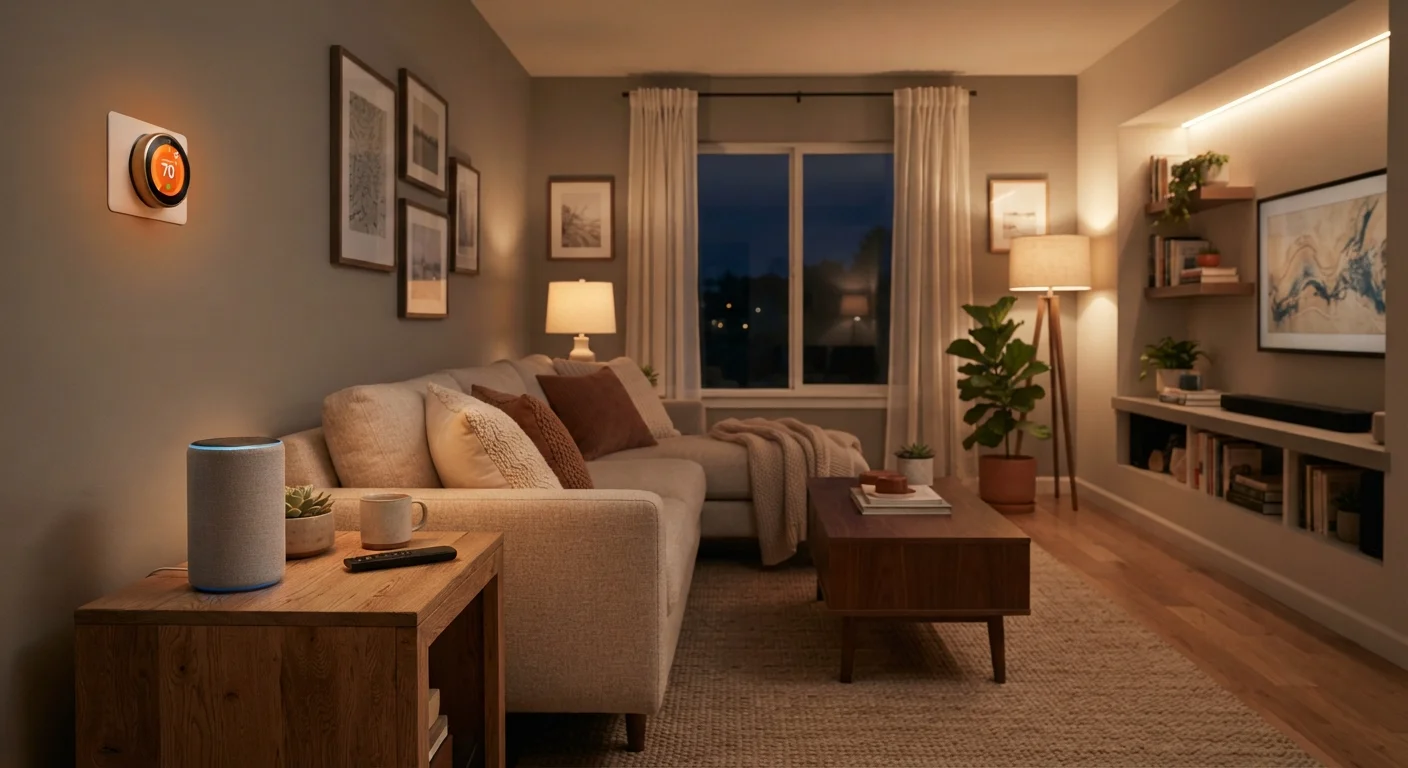
- Smart speakers — A small device that listens for a wake word and responds to voice commands. It serves as the control center for your ecosystem. Most people use it to play music, set reminders, check the weather, and control other smart devices hands-free.
- Smart plugs — These plug into an existing wall outlet and give any ordinary lamp or fan a Wi-Fi-connected on/off switch. No installation, no electrician, minimal cost. They're the easiest first experiment in smart home control.
- Smart thermostats — These replace your existing thermostat and learn your schedule over time, adjusting heating and cooling automatically. They typically require a specific wiring setup, so checking compatibility with your HVAC system before buying is important.
- Smart locks — These replace or augment your deadbolt and let you lock or unlock your door remotely, set access codes for guests, and receive entry alerts. Installation is usually a DIY project, but some lock types require a professional depending on your door hardware.
If you're also thinking through broader home upgrades, the home maintenance schedule guide is a useful companion for understanding what else your home may need attention.
What Your Home Needs Before Any Device Will Work
The most common reason smart home devices underperform has nothing to do with the device itself — it's the home network. Before buying anything, confirm these basics are in place.
- A functioning Wi-Fi router — Your router needs to support the 2.4 GHz band, which most smart devices use. Many newer routers broadcast both 2.4 GHz and 5 GHz; if yours only offers 5 GHz, some devices won't connect.
- Adequate signal coverage — A device in a garage or back bedroom that gets weak Wi-Fi will disconnect frequently. Consider a Wi-Fi extender or a mesh networking system if coverage is spotty in parts of your home.
- A smartphone and app access — Setup almost always requires a smartphone. Download the relevant app before the device arrives and create an account in advance to speed up the process.
- A consistent internet connection — Smart devices are cloud-dependent. Frequent outages or a very slow connection create a frustrating experience, regardless of device quality.
Test Wi-Fi Signal Before You Buy
Before purchasing any smart home device, walk to the location where you plan to install it and run a speed test on your phone. If the connection is weak or drops, address your network coverage first. A device with a poor signal will disconnect frequently and feel unreliable, no matter its quality.
If you're a new homeowner evaluating what your property needs before adding technology, the homeowner oversight guide covers common infrastructure gaps worth addressing first.
Privacy and Security: What to Know Before You Plug In
Smart home devices continuously communicate over your network, which means they carry real privacy and security considerations. Understanding these isn't meant to discourage you — it's meant to help you set things up responsibly.
Data collection: Smart speakers use always-on microphones that activate on a wake word. Most manufacturers publish privacy policies explaining what audio data is retained and for how long. Reading these briefly before setup is worth the time.
Account security: Your smart home ecosystem account is a single point of control for every connected device. Use a strong, unique password and enable two-factor authentication if the platform offers it.
Firmware updates: Device manufacturers periodically release firmware (built-in software) updates that patch security vulnerabilities. Enable automatic updates where possible, or check for updates manually every few months.
Guest network isolation: Many routers let you create a separate guest Wi-Fi network. Placing smart home devices on this network rather than your main network limits the potential damage if a device is ever compromised.
For a broader look at building solid device security habits, see protecting your devices.
Default Passwords Are a Security Risk
Many smart home devices ship with a generic default password or no password at all. Always change default credentials immediately during setup and use a unique password you haven't used elsewhere. Leaving default passwords in place is one of the most common ways home networks are accessed without permission.
How to Start Without Overcomplicating It
The smartest approach to smart home technology is starting small, learning as you go, and expanding only when a clear need exists. Here's a practical path for first-timers.
Step 1: Pick one ecosystem and commit to it. Look at what smartphones you and your household already use — Apple users often gravitate toward HomeKit, Android users toward Google Home, and either group can use Alexa. Starting within one ecosystem means less troubleshooting down the line.
Step 2: Begin with a smart plug or smart speaker. Both are low-cost, require no installation, and are easy to return if you decide smart home tech isn't for you. A smart plug on a living room lamp is a satisfying and risk-free first experiment.
Step 3: Add devices with a specific problem in mind. "I want to stop forgetting to turn off lights" or "I want to control the thermostat from bed" are good reasons to add a device. Buying devices speculatively — because they seem cool — tends to result in drawer clutter.
Step 4: Routinely check for firmware updates and review which devices are active on your network. Apps usually show connected devices, and auditing this list periodically is a healthy habit.
Smart home devices are genuinely useful tools when matched to real needs. Like any home upgrade, the value comes from thoughtful choices — not the quantity of gadgets. If you want to explore how technology intersects with broader home care, the home maintenance hub covers the foundational upkeep that smart tech complements, but can't replace.
Router Manufacturer Support Pages
Most router manufacturers publish detailed guides on setting up guest networks and checking connected devices. Search your router brand's support site for step-by-step instructions specific to your model.
Wi-Fi Analyzer Apps
Free apps available on Android and iOS can display the signal strength of your Wi-Fi network in any room, helping you identify coverage gaps before placing smart devices.
FTC Consumer Information: Smart Home Privacy
The Federal Trade Commission publishes plain-language guidance on smart device privacy, data collection, and what to look for in manufacturer privacy policies.
Frequently Asked Questions
Most smart home devices require a smartphone during initial setup, and many rely on an app for regular control. Some can also be voice-controlled through a smart speaker once configured. Full use without any smartphone is limited for most products.
Most smart home devices use very little bandwidth individually — a basic connection of 25 Mbps or higher is generally sufficient for several devices. The more important factor is a stable, consistent connection rather than raw speed.
Like any internet-connected device, smart home gadgets carry some security risk. Using strong, unique passwords, enabling two-factor authentication where available, and keeping device firmware updated significantly reduces that risk.
Not automatically. Devices operate within ecosystems — such as Amazon Alexa, Google Home, or Apple HomeKit — and compatibility varies by brand and product. Always check compatibility before purchasing multiple devices.
Smart thermostats typically require installation and may not be permitted in rental properties without landlord approval. Check your lease and discuss with your landlord before installing one. Smart plugs and speakers are generally more renter-friendly.
Most smart devices lose remote and voice-control functionality when your internet goes out. Some retain basic local control through Bluetooth or a physical button, but cloud-dependent features will not work until your connection is restored.
The content on this site is for informational purposes only and is not a substitute for professional advice. Always consult a qualified professional for guidance specific to your situation.