

Our Verdict
Streaming sticks deliver genuine convenience and solid value for anyone who wants quick, affordable access to streaming apps on a TV. They handle everyday watching well, but they are not designed to replace devices with local storage, gaming capability, or offline media playback.
Ideal for renters, travelers, and budget-conscious viewers who want a low-hassle streaming setup without committing to a smart TV or a full home theater system.
How a Streaming Stick Actually Works
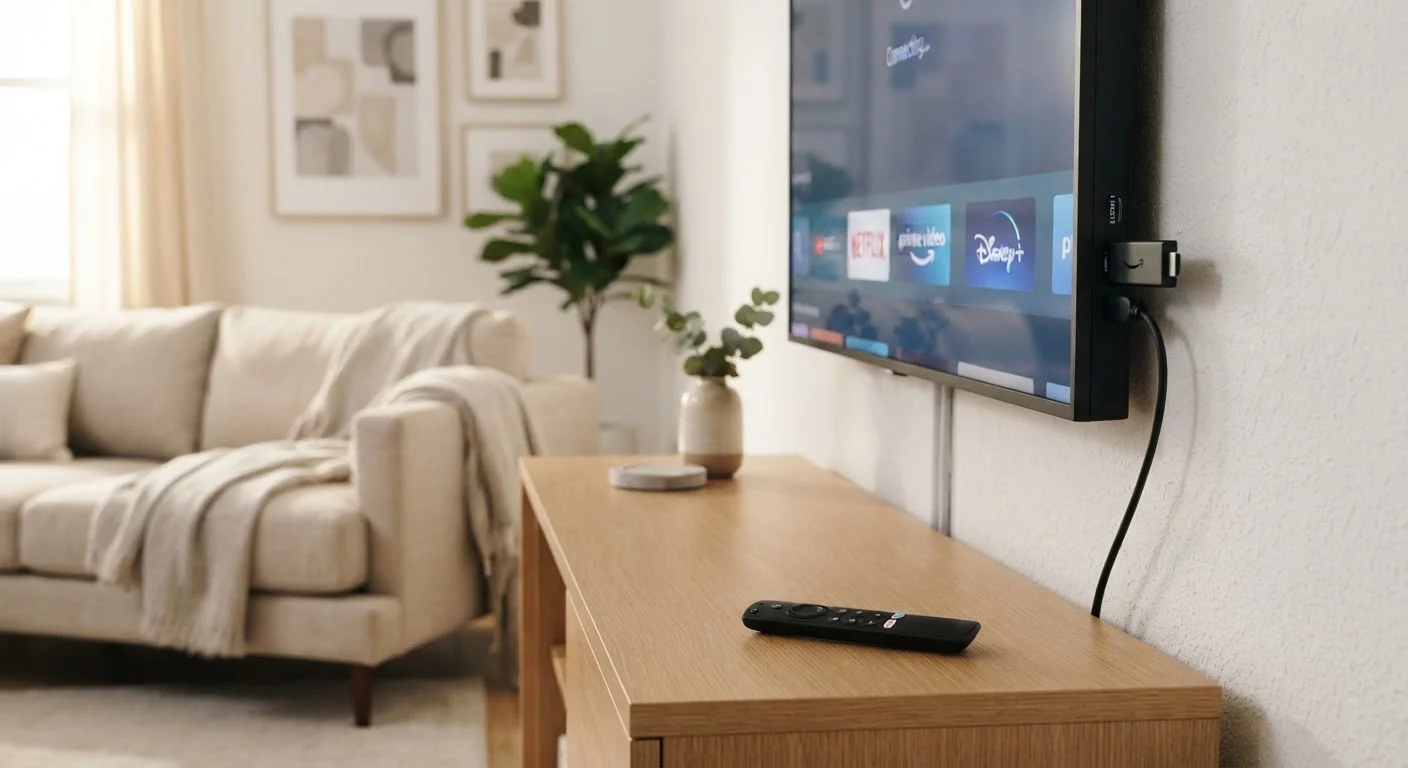
A streaming stick is a compact dongle — typically the size of a USB drive — that plugs directly into your TV's HDMI port. A separate USB cable or small power adapter provides the electricity it needs to run. Once connected and set up through a smartphone app or on-screen prompts, the stick runs its own operating system and connects to your home Wi-Fi network.
From there, it functions like a very small computer dedicated to one job: loading and running streaming apps. When you press play, the stick fetches video data from the internet, decodes it, and sends the picture and sound to your TV. The TV itself becomes a passive display — the stick does all the processing.
Most sticks include a voice-enabled remote that lets you search across apps, control playback, and adjust volume. Some can also control your TV's power and input through HDMI-CEC, a standard that lets devices talk to each other over the HDMI cable.
HDMI-CEC: The Feature Worth Enabling
HDMI-CEC allows your streaming stick's remote to control your TV's power and volume, eliminating the need to juggle two remotes. It is turned off by default on many televisions and goes by different brand names — Samsung calls it Anynet+, LG calls it SimpLink, and Sony uses Bravia Sync. Check your TV's settings menu to enable it once your stick is connected.
What Streaming Sticks Do Well
For straightforward streaming, these devices punch above their weight. Here is where they genuinely shine:
Extremely affordable entry point for smart TV features
Streaming sticks typically cost significantly less than a smart TV upgrade or a full media player, making them one of the most accessible ways to access popular apps on a large screen.
Works with virtually any HDMI-equipped TV
Because they use HDMI — a standard port found on nearly all televisions made in the past 15 years — sticks are compatible with older sets that have no built-in smart features.
Compact and easy to pack for travel
The small form factor means you can carry a streaming stick in a bag and use it with hotel TVs or any display that has an HDMI port and a nearby outlet or USB port.
Simple setup with minimal technical steps
Most sticks walk first-time users through setup in under ten minutes using an on-screen wizard and a smartphone app, requiring no networking expertise.
Regularly updated software and app libraries
Manufacturers push firmware and app updates automatically, so the device stays current with new streaming services and security improvements without user intervention.
Beyond the hardware advantages, streaming sticks also tend to receive regular software updates, keeping their app libraries and security patches current without any manual effort on your part. If you already own a TV with an HDMI port — which describes nearly every set sold in the last fifteen years — adding a stick is the fastest route to a smart-TV experience.
Where Streaming Sticks Fall Short
No device does everything, and streaming sticks have real limitations worth understanding before you commit:
Entirely dependent on internet connection quality
Streaming sticks have no local storage for downloaded content, so a slow or unreliable Wi-Fi connection directly impacts picture quality and causes buffering interruptions.
Limited processing power and RAM
Lower-end sticks can feel sluggish when switching between multiple apps or running feature-heavy services, and performance tends to degrade over time as apps grow more demanding.
Cannot play physical media like Blu-ray or DVD
If your entertainment library includes discs, you will still need a separate player — a streaming stick has no drive and no way to read physical formats.
Not suitable for gaming beyond casual apps
Streaming sticks lack the GPU power, local storage, and controller support needed for conventional gaming; they are no substitute for a dedicated console.
Live TV requires an additional subscription or antenna
Out of the box, a streaming stick does not provide live broadcast TV; you need a virtual cable service, separate subscription, or a compatible TV antenna connected elsewhere.
One specific scenario where sticks struggle is households with shared heavy internet use. If multiple people are gaming, video-calling, or streaming simultaneously, the stick will compete for bandwidth and may buffer or drop to lower picture quality. Upgrading your router or prioritizing the stick's network traffic can help, but the stick itself cannot fix a congested connection.
~$25–$50
Typical retail price range for entry-level sticks
Entry-level streaming sticks are generally available in this price range, making them one of the lowest-cost ways to add streaming apps to a standard TV.
1080p or 4K
Maximum video resolution supported
Most current streaming sticks support at least 1080p HD video; higher-end models support 4K HDR, though your TV and internet speed must also support those standards.
What a Streaming Stick Cannot Replace
Understanding what a streaming stick is not helps set realistic expectations. It is not a gaming console — while a handful of casual games exist on streaming platforms, the stick has no local storage for downloaded titles and limited processing power for anything graphically demanding.
It also cannot play physical media. If you own a Blu-ray or DVD collection, you still need a dedicated player. Similarly, a streaming stick cannot replace a cable or satellite box for live TV unless you subscribe to a virtual cable service delivered over the internet — an additional cost separate from the stick itself.
For users who need a screen for productivity — writing, spreadsheets, or creative work — a streaming stick is the wrong tool entirely. That use case is better served by a tablet or laptop. If you are weighing those options, our tablet vs. laptop comparison walks through the key differences.
The content on this site is for informational purposes only and is not a substitute for professional advice. Always consult a qualified professional for guidance specific to your situation.